Accounts payable · For finance leaders

AP Automation Software That Connects with 250+ Financial Systems

Yooz connects with 250+ ERP and financial systems through methods ranging from structured file exchange to APIs. Available data flows, document access, matching capabilities, payment-status feedback and integration methods depend on the connected system and configuration.

If you're comparing accounts payable automation software right now, you have three or four tabs open and they all promise the same things: less manual entry, faster approvals, lower cost per invoice. The difference shows up at the integration call. Yooz was built to connect to the systems mid-market finance teams actually run — including the older, regional and industry-specific ones the newer platforms don't support.

Yooz sits in front of the financial system you already run; what it handles depends on the capabilities you select and the system you connect.

  • ✓250+ ERP and financial-system connections
  • ✓600,000+ users
  • ✓Documented Starter and Extended implementation paths

Live Demo

See AP Automation Run on Your Own Invoices

By the numbers

Accounts Payable Automation Proven at Scale

250+
ERP and financial systems connected
600,000+
users
80%
reduction in processing time, up to
Integrations

Yooz Connects to the ERP You Already Run

Yooz connects with 250+ ERP and financial systems, including Sage (X3, 300, Intacct), SAP, Oracle NetSuite, Microsoft Dynamics, Acumatica, Infor, QuickBooks and CDK Global. Available data flows, document access, matching capabilities, payment-status feedback and integration methods depend on the connected system and configuration. On Sage Intacct, current integration materials support including the invoice image with the data transferred to the ERP. Running something less common? Tell us the system on the demo call and we'll show you the connector.

Check your ERP on a 1:1 call →
Sage Intacct
Sage X3
SAP
NetSuite
Acumatica
Infor
QuickBooks
CDK Global
Oracle
And 250+
How it works

Automate Your AP Process, From Invoice to Posted Entry

Yooz is an accounts payable automation platform, which means it sits on top of the ERP you already run rather than replacing any part of it.

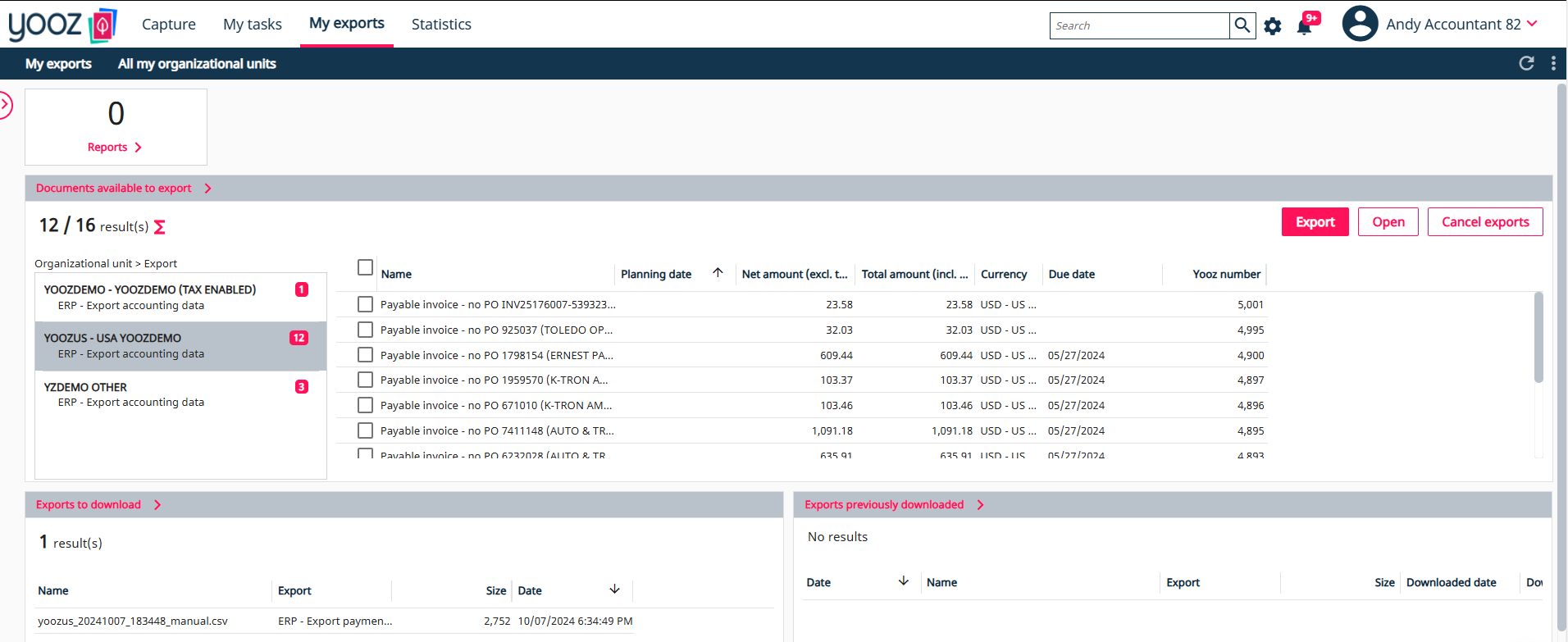
Multi-channel invoice capture in Yooz
Step 1

AI-Powered Invoice Capture From Every Channel

Invoices arrive by email, scan, supplier portal, EDI or e-invoicing. Yooz reads them with AI-driven OCR, separates batched documents automatically, and learns supplier layouts as it goes. No template setup per vendor.

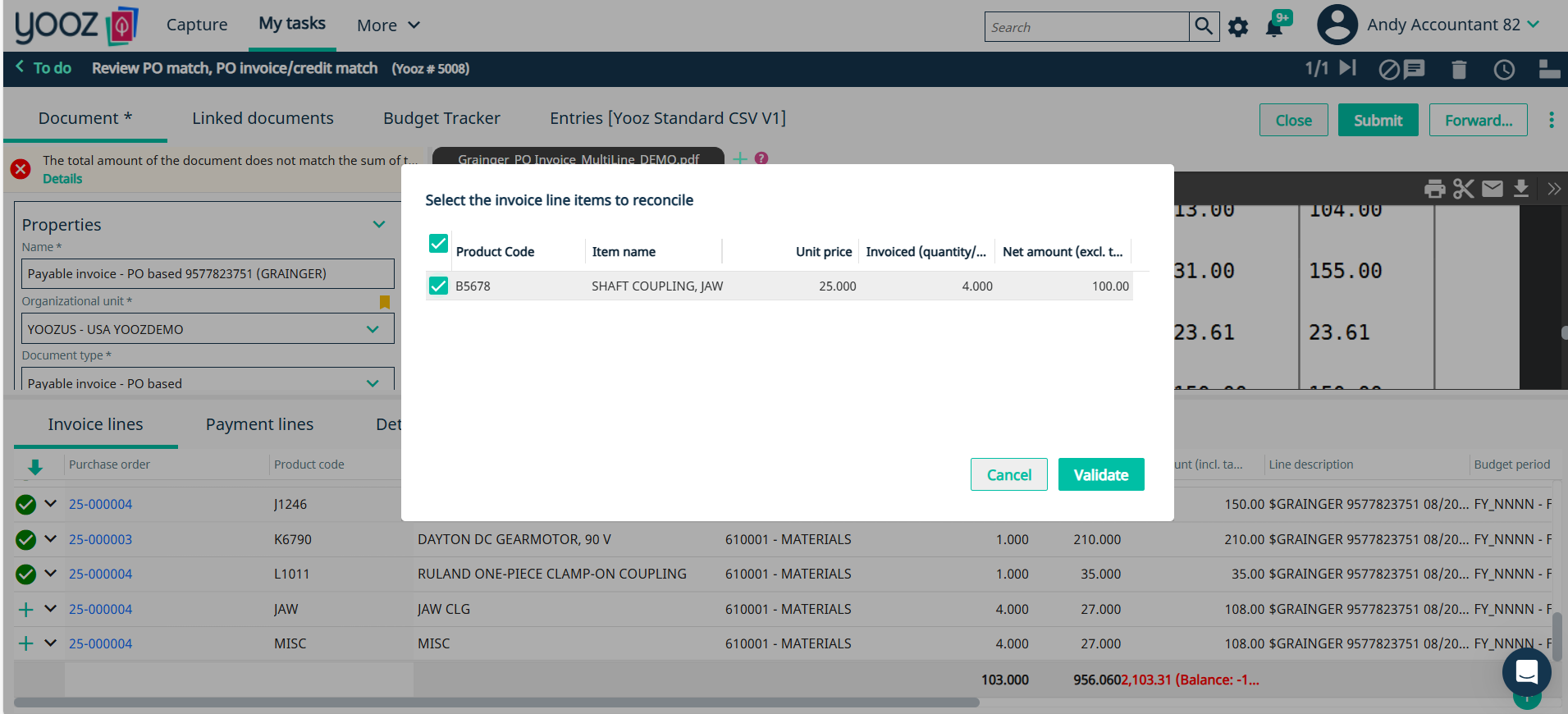
GL coding and purchase order matching in Yooz
Step 2

Smart GL Coding and PO Matching

GL coding is suggested from your own history. Line-level purchase order matching runs two-way and three-way against receipts. Exceptions are flagged with the reason, not just held.

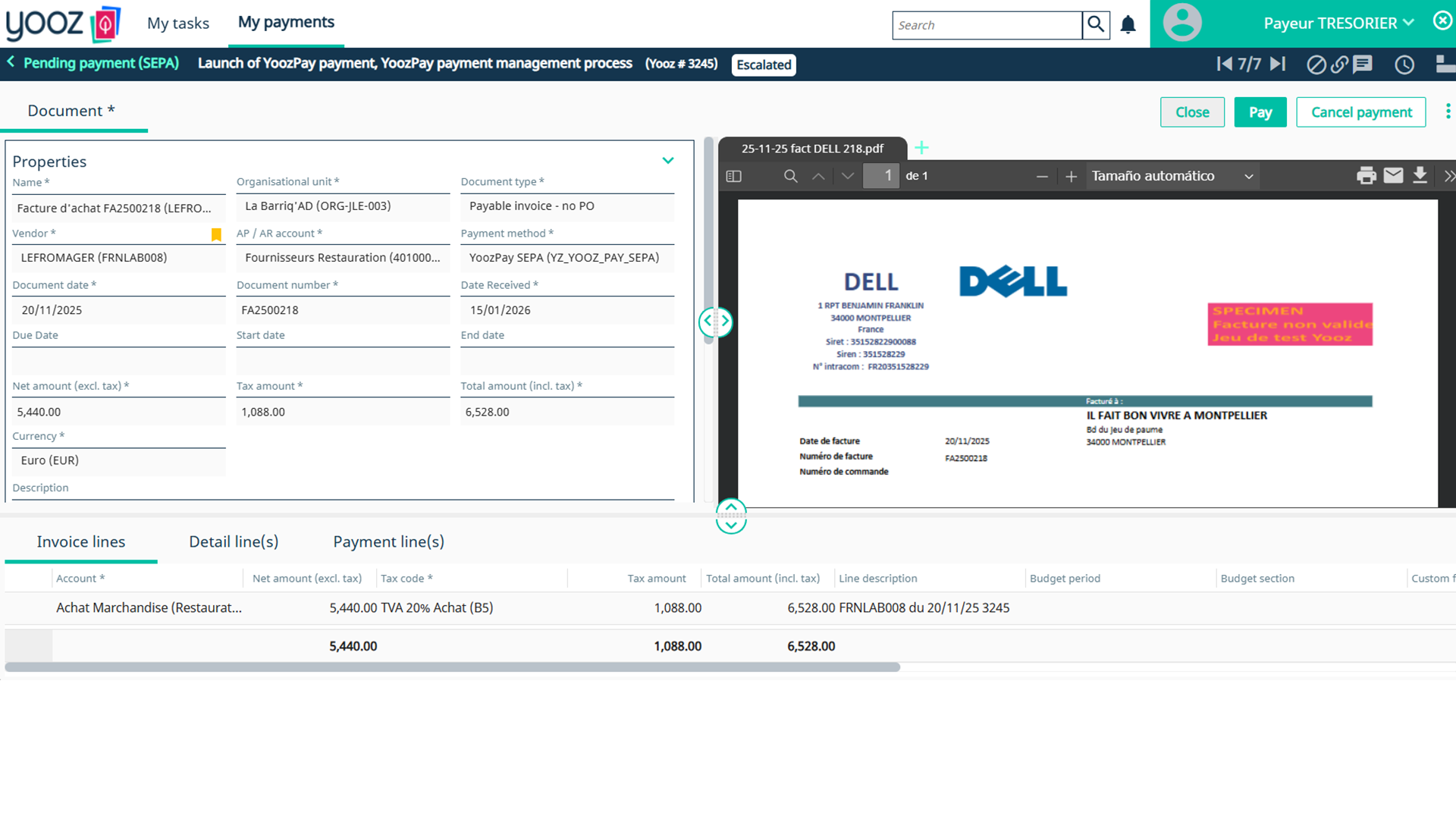
Posting confirmation inside the ERP
Step 3

Approve Anywhere, Post to Your ERP

Approvals route by vendor, amount, entity, department or cost centre, and approvers can act from their phone. Approved invoices post back to the ERP with the coding and the audit trail intact.

Why Yooz

What Most Automated Accounts Payable Systems Miss

Most automated AP systems handle the easy 70% of invoices well. The cost sits in the other 30% — the exceptions, the non-standard suppliers, the entity that runs a different chart of accounts. Yooz is built for that tail.

Enterprise AP for Multi-Entity Groups

Separate approval hierarchies, charts of accounts and currencies per entity, with consolidated visibility across all of them. One login, not one tenant per subsidiary.

Fraud and Supplier Data Protection

Duplicate detection, document tampering checks and supplier bank-detail change alerts, running 24/7. Supplier master data is validated at the point of change, not at the point of payment.

Audit-Ready by Default

Every touch on every document is logged and retained electronically. Nine of the ten biggest audit firms already use Yooz, which means your auditors have likely seen the trail format before.

Procure-to-Pay When You're Ready

Yooz can support procure-to-pay workflows from purchase request and purchase order through invoice processing and, where selected and configured, payment execution.

Why Finance Teams Stay With Yooz

Customer stories

“We’ve outgrown our other business software programs over the years, but Yooz is the one thing that stayed consistent for us since we’ve implemented it.”

-Kristen Gerhart, Treasurer, Blue Water Development Corporation

"We have been impressed with how quickly Yooz was integrated with Sage X3, and how its advanced and powerful OCR technology has cut our invoice processing time. This AP automation process is now automating more than 90% of Five Guys' invoices."

Jen Kim, Finance Manager, Five Guys
7,000+ customers. 600,000+ users.

Accounts Payable Automation FAQs

Which ERPs does Yooz integrate with?+

Yooz has 250+ ERP integrations, including Sage X3, Sage 300, Sage Intacct, SAP, Oracle NetSuite, Microsoft Dynamics, Acumatica, Infor, QuickBooks and CDK Global. If your system isn't on the list, ask on the demo call — connector breadth across legacy and industry-specific systems is the main reason finance teams choose this accounts payable automation platform over the AP-only pure-plays.

Is Yooz AP automation only, or full procure-to-pay software?+

Both. You can run it as an invoice-to-pay layer on top of your ERP, or extend it upstream into requisition, purchase order and matching. Teams evaluating procure-to-pay software usually start with AP and add the PO side once the first entity is live.

How does invoice approval work?+

Invoice approval routes on rules you set — vendor, amount, entity, department, cost centre or any combination. Approvers act by email or mobile without a full licence, delegation covers holidays, and every action is timestamped in the audit trail. Exceptions are flagged with the reason rather than sitting in a queue.

How long does implementation take?+

Yooz uses different implementation paths depending on scope. Eligible standard deployments can follow the fixed-scope ReadyToYooz Starter framework. More complex projects use an Extended framework covering discovery, design, integration, configuration, validation, training, UAT, go-live coordination and hypercare. Timing depends on ERP access, data complexity, workflow requirements, add-ons, testing and stakeholder availability. The project plan is confirmed after requirements are reviewed.

Does it work for enterprise and multi-entity organisations?+

Yes. Yooz supports separate approval hierarchies, charts of accounts and currencies per entity with consolidated reporting across all of them, which is why it's commonly used as accounts payable software for large business groups running several ERPs at once after acquisitions.

How accurate is the capture, and how much tuning does it need?+

Yooz extracts header and line-level information without requiring a separate template per supplier. Depending on confidence and configured controls, it can populate fields, suggest values or leave them for review, and validated processing history improves future recommendations.

Get an AP Automation Timeline for Your ERP

Bring your monthly invoice volume and your ERP. We'll give you a timeline based on your entity count and volume, not a generic estimate.

Request my personalized demo