
Invoice approval software for configurable, trackable workflows
Configure approval routes around amount, entity, vendor, GL code, dimension and other document data. Support sequential and parallel approvals, reminders, delegation, escalation and mobile review.
Yooz applies configured workflow rules to route invoices and exceptions, while permission-controlled visibility helps authorized users see approval progress. Eligible invoices can follow no-touch paths when matching, tolerance and workflow conditions are satisfied.
- check 250+ ERP and financial-system connections
- check 600,000+ users
- check Documented Starter and Extended implementation paths
See it against your own invoices
Configure approval rules around how your organization works
Yooz supports configurable approval workflows with sequential and parallel routes, multi-criteria conditions, reminders, delegation, escalation and no-touch paths for eligible documents. Authorized super-users can configure workflow phases, steps, routes and conditions in Yooz. Initial design and implementation support depend on workflow complexity, ERP requirements, organizational structure and the selected implementation framework.
Route invoices through approvers in a defined order, with document history and visibility available according to user permissions.
Route invoices or relevant invoice lines to multiple approvers in parallel where the configured process requires it.
Allow eligible invoices that satisfy configured matching and tolerance conditions to continue automatically, while exceptions are routed for review.
Apply configured escalation rules when an approval task exceeds its defined conditions or timing.
Apply configured delegation or substitution rules when an approver is unavailable.
Send configured notifications and reminders to help keep approval tasks moving.
What the invoice approval process looks like once it is automated
Capture and prepare
Invoices can enter through supported capture channels. Yooz extracts document data and can populate or suggest accounting and analytical allocations based on configured controls, confidence levels and validated processing history.
Validate and identify exceptions
Depending on configuration, Yooz can identify duplicates, unusual amounts, suspicious documents and matching exceptions for review.
Route for approval
Configured workflow rules determine the appropriate approval and exception routes.
Export to the financial system
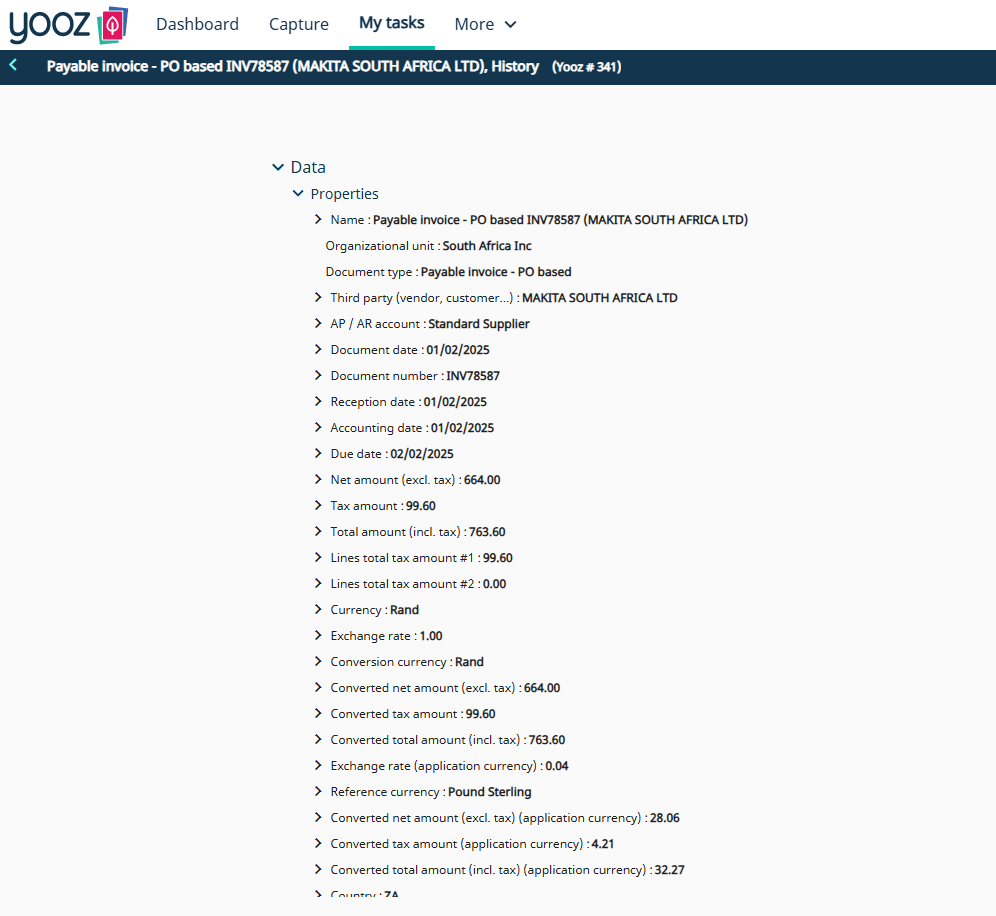
Approved invoice data can be exported to the connected financial system. Available fields, document access, posting behavior and audit information depend on the system and configuration.
Electronic approval of invoices through supported desktop and mobile experiences
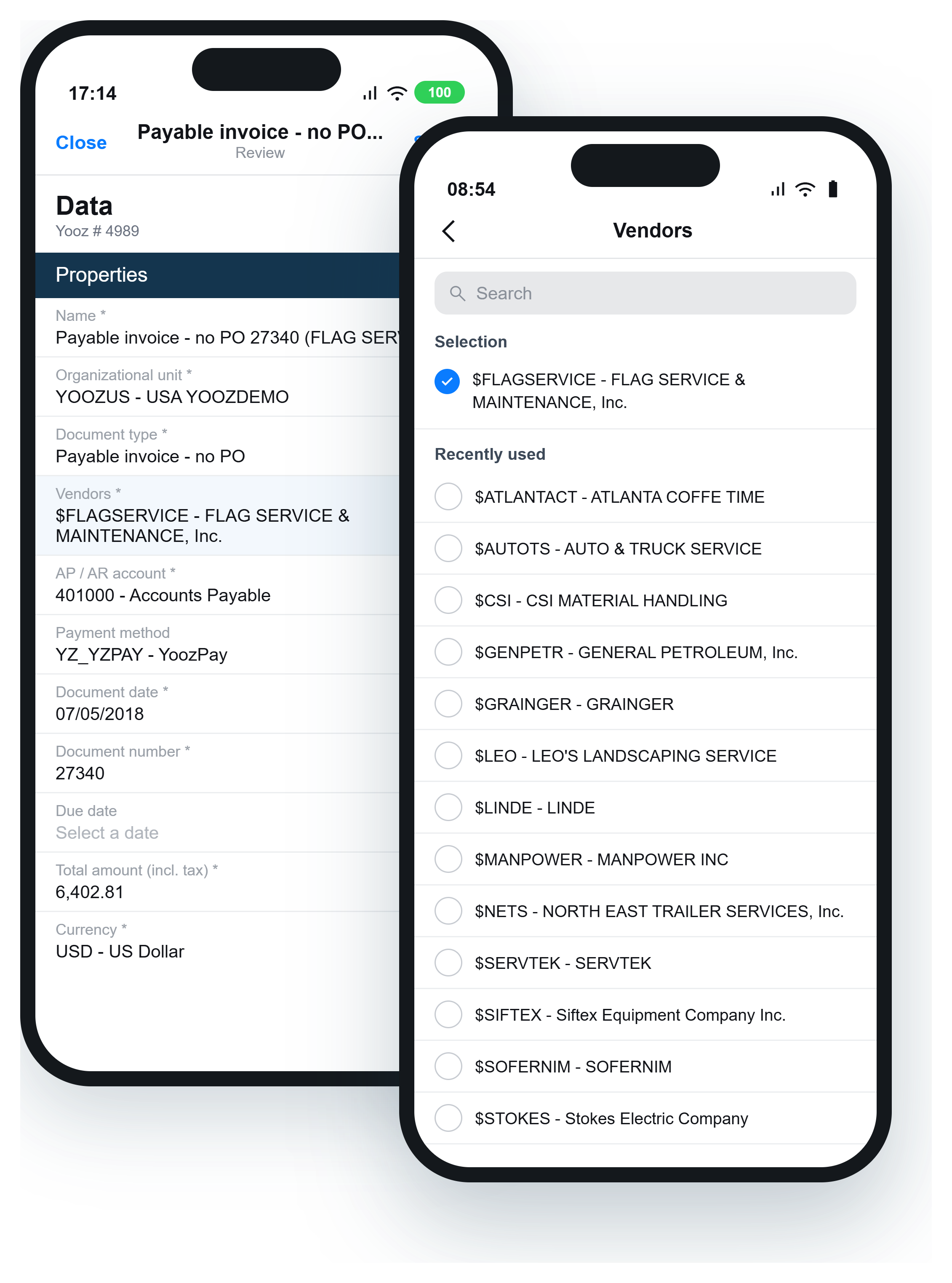
Authorized users can review and act on approval tasks through supported desktop and mobile experiences. Depending on permissions and workflow configuration, they can view the invoice, review relevant information, approve, reject, transfer, block or comment on the document. Approval progress remains visible according to user rights, and associated actions are recorded in document and workflow history.
Line-level PO matching before approval
Yooz supports line-level matching between invoices, purchase orders and receipts, including multi-PO and partial-receipt scenarios. Configurable tolerances and exception rules determine which invoices can continue automatically and which require review.
Approvals are one part of the process
Invoice approval can operate alongside capture, coding, matching, document-risk controls, ERP export and other selected Yooz capabilities. Yooz connects with 250+ ERP and financial systems, although integration methods and available data flows depend on the connected system and configuration.
What changes for the people doing the approving
“We have over 100 unique workflows, and Yooz stood out because of its ability to accommodate our complex approval processes. Other solutions lacked the flexibility we needed or required costly customizations, which we wanted to avoid.”
“With the Yooz and Sage Intacct combined integration you have a single source of the truth. Everything is captured in one place.”
Faster approvals without losing control
Approval automation should preserve control and visibility while reducing manual follow-up.
Frequently asked questions
What is the invoice approval process?+
The invoice approval process is the sequence a supplier invoice follows from capture and validation through coding, routing, approval, exception handling and accounting export. An automated process applies configured rules consistently and records the associated actions and decisions.
Can we configure our own AP approval workflow?+
Authorized super-users can configure workflow phases, steps, routes and conditions in the Yooz interface. Initial design and implementation support depend on workflow complexity, ERP requirements, organizational structure and the selected implementation framework.
Can an invoice route automatically to the CFO above a certain amount?+
Yes. Amount can be used as a workflow condition, and different approval routes can be configured for different thresholds. The specific limits and approvers are defined during workflow design.
Do you charge per approver?+
Yooz's current subscription pricing is based on document volume, with no separate charge per user. Final pricing can also reflect integrations, services, configuration and selected add-ons
Can approvers approve from a phone?+
Authorized users can review and act on approval tasks through supported mobile experiences. Available actions and information depend on permissions, workflow configuration and the current product interface.
Does it work with our ERP?+
Yooz connects with 250+ ERP and financial systems. Available fields, document access, posting behavior, approval data and integration methods depend on the connected system and configuration.
How long before our approval workflows are live?+
Yooz uses different implementation paths depending on workflow and integration complexity. Eligible standard deployments can follow the fixed-scope ReadyToYooz Starter framework. More advanced approval requirements use an Extended framework covering discovery, solution design, configuration, integration, validation, training, user acceptance testing, go-live coordination and hypercare. The project timeline is confirmed after requirements, ERP access, data readiness and workflow complexity are reviewed.
Request a personalized demo
Bring your monthly invoice volume and your ERP. We'll give you a timeline based on your entity count and volume, not a generic estimate.